How to Do a Google Ads Audit: Step-by-Step Audit Checklist
- January 7, 2026
- Google Ads
A Google Ads audit is one of the fastest ways to uncover wasted ad spend, missed conversion opportunities, and structural issues inside your Google Ads account.
Yet many accounts never get a proper audit.
Instead, teams run the same campaign settings, reuse the same keywords, and trust automation—without questioning whether their PPC campaigns are still aligned with real business objectives.
That’s a problem.
Because even successful Google Ads can quietly lose efficiency over time.
A thorough PPC audit helps you understand the true Google Ads performance of your account, identify weak points, and create a clear plan to optimize your Google Ads for better results.
In this guide, you’ll learn how to perform a Google Ads audit using a proven, agency-level Google Ads audit checklist.
This exact audit process is used across many accounts, from eCommerce brands to lead-generation businesses.
What Is a Google Ads Audit?
A Google Ads audit is a structured review of your Google Ads account designed to evaluate campaign performance, account structure, keywords, bids, conversion data, and overall PPC performance.
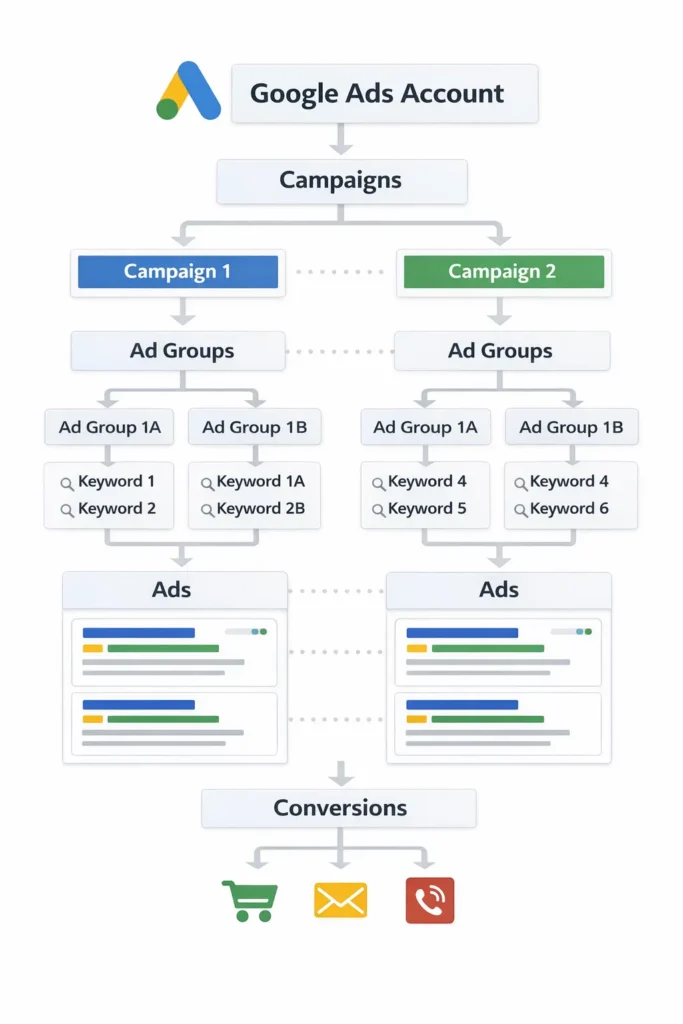
Think of it as a health check for your paid search strategy.
Instead of guessing why ads aren’t converting, an audit helps you diagnose the exact aspect of your Google Ads that’s holding back results. Whether you’re running search ads, Performance Max, or multiple PPC campaigns, an audit gives you clarity.
At a minimum, a Google Ads audit examines your Google Ads campaign setup, keywords and search term data, ad copy, landing page experience, bid strategies, conversion tracking, and account structure. When done correctly, the audit helps align campaigns and ad decisions with real business objectives.
This is why a Google Ads audit checklist is so valuable — it keeps you focused on what actually impacts return on ad spend instead of vanity metrics.
Why a Google Ads Audit Matters for PPC Success
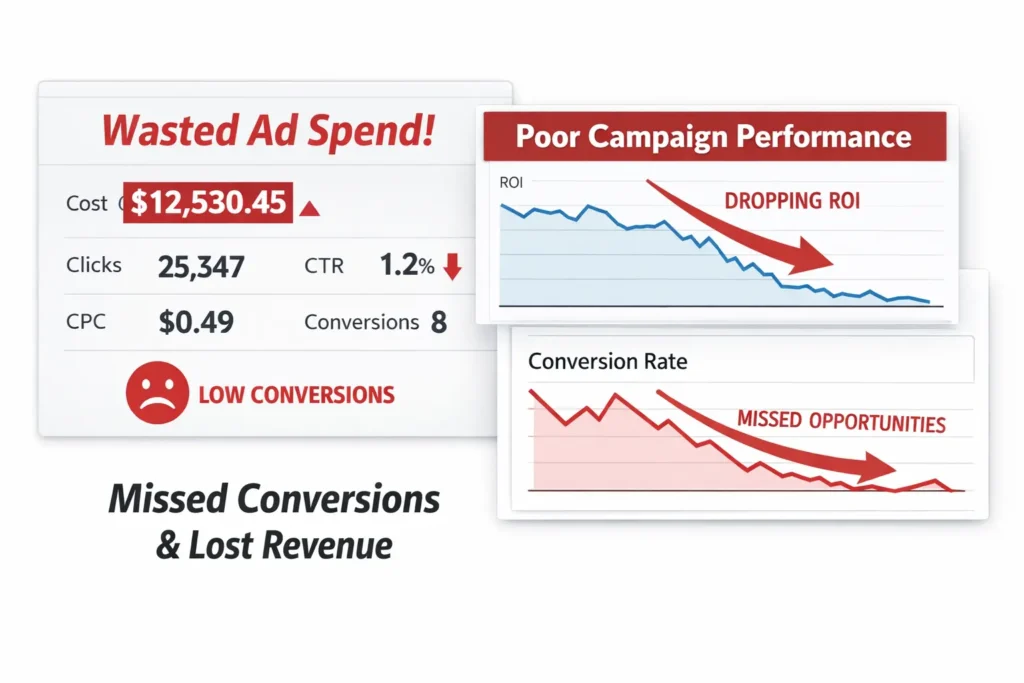
Google Ads is powered by automation, AI, and algorithms. But automation only works when the underlying data is correct.
If conversion tracking is broken, the algorithm optimizes toward the wrong signals. If keywords are too broad, ads aren’t relevant. If bids aren’t aligned with conversion value, ad spend leaks fast.
A PPC audit helps you regain control.
We’ve seen many accounts where Google Ads performance looked “stable” on the surface, yet ROAS was slowly declining due to poor campaign settings, outdated ad groups, or inefficient bid strategies. In these cases, a single audit can help uncover opportunities that immediately improve campaign success.
That’s why regular PPC audits are essential — even for successful Google Ads campaigns.
How to Audit a Google Ads Account (Complete Guide)
Below is the exact framework agencies use to audit your Google Ads effectively. Follow it step by step, and you’ll make your Google Ads audit actionable instead of overwhelming.
Step 1: Confirm Conversion Tracking Is Accurate
Before analyzing anything else, make sure you’re tracking conversions correctly.
If conversion data is wrong, every decision you make after that will be flawed.
Start by confirming your GA4 account to your Google Ads is properly connected. Make sure you’ve linked your GA4 account, verified the account to your Google Ads connection, and confirmed that conversion tracking events are firing correctly.
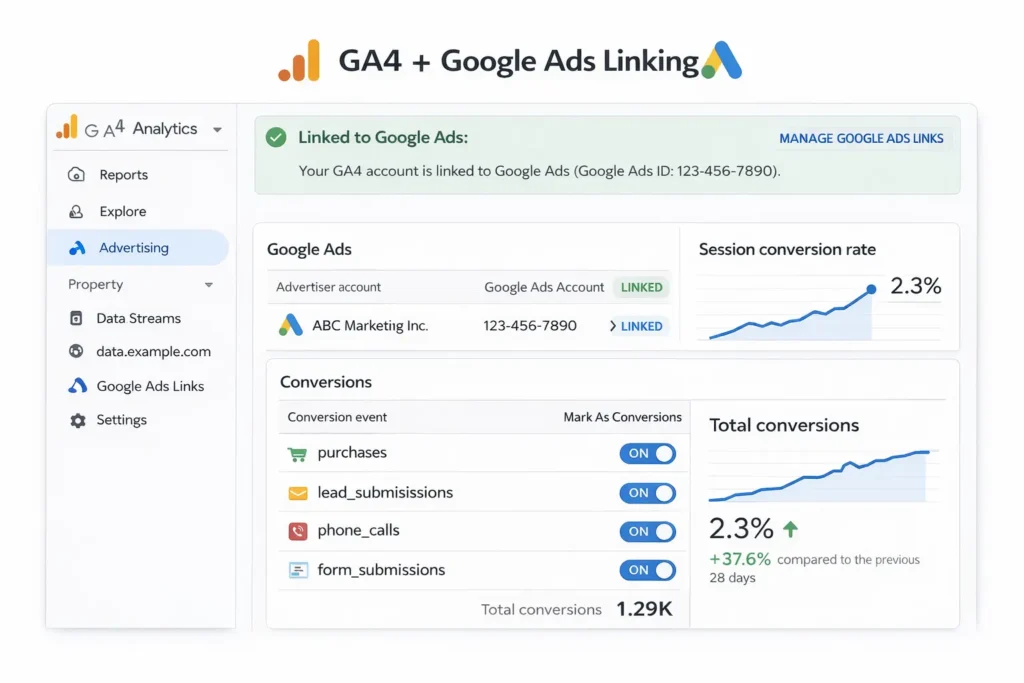
Next, perform test conversions. Click your own ads, complete the action, and confirm the conversion appears in both Google Analytics 4 and Google Ads. If conversions double-count or don’t appear at all, your audit can help identify the issue early.
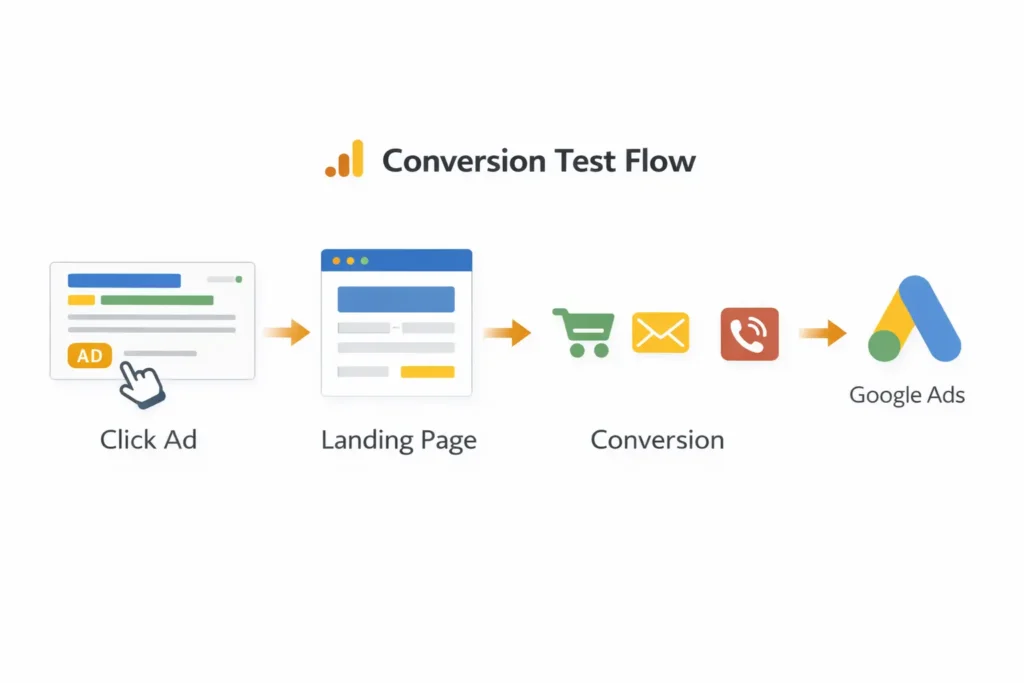
Make sure you’re tracking the right conversion actions at the appropriate ad group level and campaign level. Incorrect setup here affects every aspect of your Google Ads performance.
Step 2: Review Account and Campaign Settings
Once tracking is confirmed, move to a high-level account audit.
Review campaign settings across your Google Ads account. Look closely at location targeting, language settings, networks, budgets, and ad rotation preferences.
Many accounts waste ad spend simply because campaigns target irrelevant locations or all languages by default. Even strong ads aren’t effective if ads aren’t shown to the right audience.
This review of your Google Ads should also include extensions, ad assets, and campaign settings consistency across campaigns and ad sets.
Step 3: Evaluate Account Structure and Ad Groups
Account structure plays a major role in PPC performance.
A clean account structure makes it easier to optimize keywords, write relevant ads, and manage bids efficiently. A messy structure does the opposite.
Review how campaigns are divided and how ad groups are organized. Each ad group should focus on tightly related keywords. Avoid dumping dozens of unrelated keywords in a single ad group.
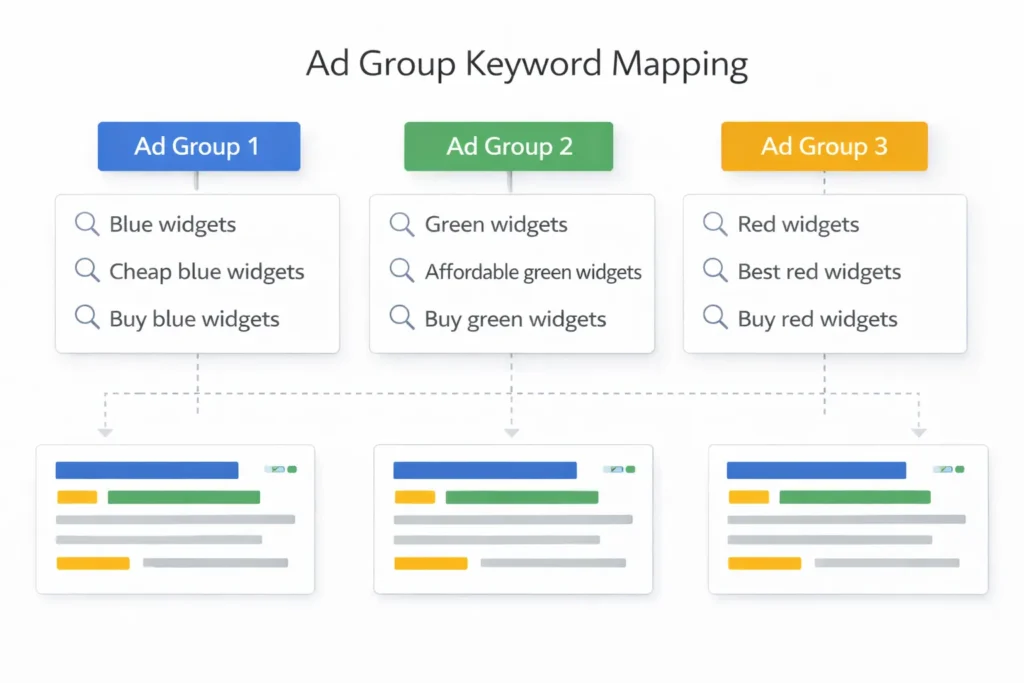
Make sure keywords in each ad group match the ad copy and landing page intent. When keywords per ad group are tightly themed, ads become more relevant — which improves conversion rate and lowers cost per click.
Step 4: Audit Keywords, Search Terms, and Negative Keywords
This is where most audits uncover wasted spend.
Start by reviewing the search term report. Compare actual search term data against your target keyword list. Ask yourself whether ads are triggered by relevant search queries or wasting budget on informational or irrelevant traffic.
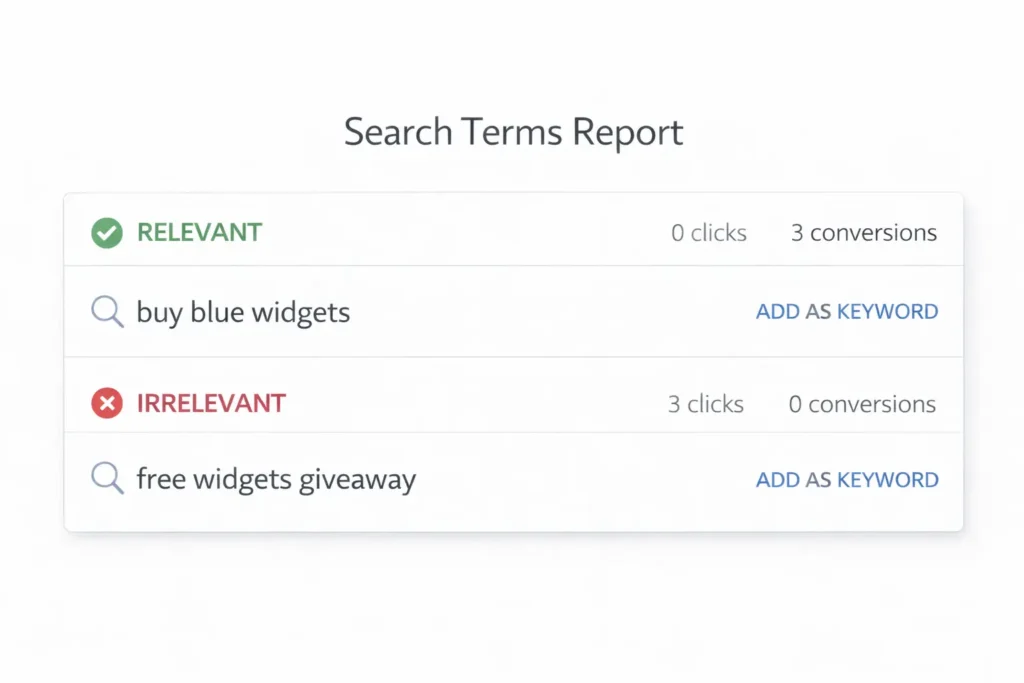
Negative keyword management is critical here. Review your negative keyword lists carefully and ensure they’re applied at the appropriate ad group level, campaign level, or account level.
A PPC audit checklist should always include negative keyword review because it directly impacts campaign success.
Use broad match carefully. If you’re using broad keywords, make sure search term monitoring happens regularly.
Step 5: Review Ads, Ad Copy, and Ad Assets
Next, evaluate ads and ad copy performance.
Look at how responsive search ads are built. Are you using enough headlines and descriptions? Are ad assets fully populated? Are you testing different ad formats?
Strong ad copy aligns closely with keyword intent and sets clear expectations before the click. Ads targeting high-intent search campaigns should be direct, benefit-driven, and aligned with landing page content.
If ad copy and landing pages don’t match, conversion rates suffer — even with strong traffic.
Step 6: Audit Landing Pages for Conversion Performance
Your audit shouldn’t stop at ads.
Landing page experience directly affects conversion rate and the effectiveness of your ad. Review each landing page tied to active ads and confirm it matches the promise made in ad copy.
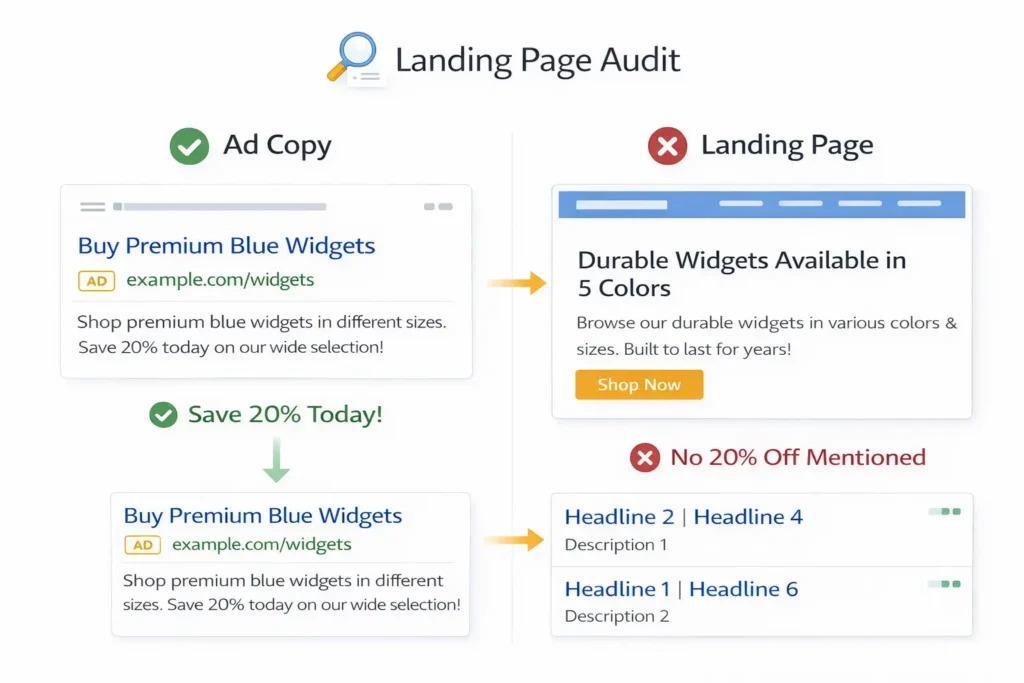
Landing pages should load fast, work smoothly on mobile devices, and clearly guide users toward conversion actions.
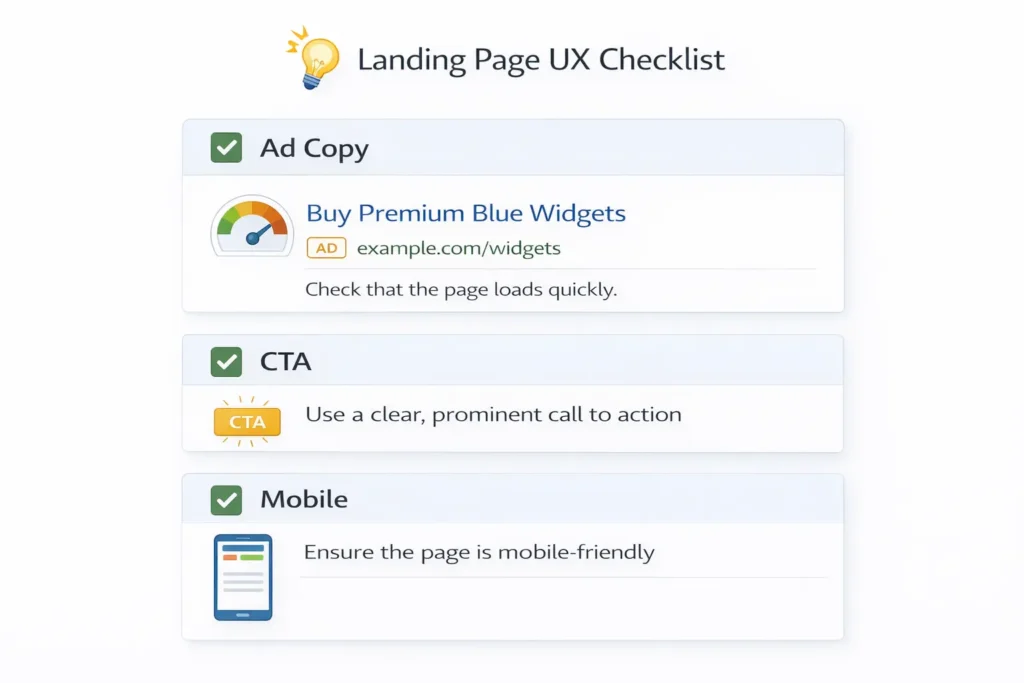
If traffic converts poorly, the issue often isn’t the keyword or bid — it’s the landing page.
Step 7: Review Bids and Bid Strategies
Now it’s time to analyze bidding.
Review current bid strategies and compare them against campaign goals. Some campaigns benefit from manual control, while others perform better with automated bidding.
Check whether bids align with conversion value and return on ad spend. Avoid blindly trusting automated bid strategies without enough conversion data.
Testing bid strategies through Google Ads experiments is often the safest way to optimize without risking performance.
Step 8: Analyze Campaign Performance by Device and Channel
Campaign performance varies significantly by device.
Review campaign performance across mobile, desktop, and tablet traffic. Look beyond last-click metrics and understand how users move across devices before converting.
For many PPC campaigns, mobile traffic assists conversions that later happen on desktop. This is why combining Google Ads data with GA4 insights is critical.
Step 9: Compare Performance Against Competitors
A paid search audit isn’t complete without competitive context.
Use Auction Insights to evaluate impression share, overlap rate, and relative position. This helps you understand where competitors outperform you and where opportunity exists.
Competitive analysis is about understanding the landscape — not copying others blindly.
How Often Should You Audit Your Google Ads?
A single audit helps, but regular audits drive consistent improvement.
Light monthly reviews help catch tracking issues, keyword drift, and budget leaks early. Quarterly deep audits allow for strategic changes, restructuring, and testing new Google Ads campaigns.
This is why successful Google Ads teams schedule audits just like reports or optimizations.
Common Google Ads Audit Mistakes to Avoid
Many audits fail because people rush through them.
Blindly implementing Google recommendations, ignoring search term data, skipping conversion verification, and neglecting negative keywords are some of the most common mistakes.
A thorough audit focuses on effectiveness of your ad decisions — not just surface-level metrics.
Final Thoughts: Make Your Google Ads Audit Actionable
A Google Ads audit helps you understand the true success of your Google Ads.
When done properly, it uncovers opportunities to optimize your Google Ads, improve PPC performance, and increase return on ad spend.
If you don’t have time or want a second opinion, consider requesting a free Google Ads audit from an experienced PPC team or using a free Google Ads audit tool as a starting point.
Whether you manage new Google Ads or many accounts, one thing stays true:
A consistent audit can help turn average campaigns into successful Google Ads.

I am Satbir Singh, an SEO and Google Ads specialist focused on helping businesses grow their online presence. I work on improving search visibility, increasing qualified traffic, and boosting conversions through effective digital marketing strategies.
More from our blog
See all posts