What Is an SEO Audit? — A Friendly, Simple SEO Audit Checklist
- December 8, 2025
- SEO
If you’ve ever looked at your website and thought, “Why am I not getting more people to my site?” or “Why am I not ranking on the first page of search?” — don’t worry, you’re not alone. Almost every business asks the same questions.
That’s where an SEO audit comes in.
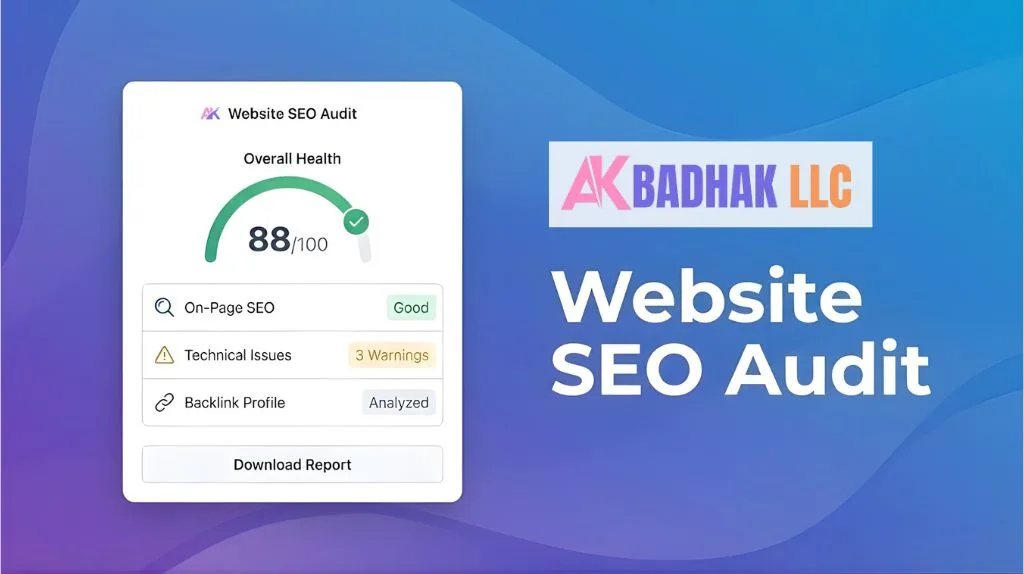
An SEO audit is a process where you look at the technical aspects, content, backlinks, and user experience of your website to see what’s helping your rankings and what’s hurting them. Think of it like giving your site a full check-up. Just like you visit a doctor to make sure everything is working fine, an seo audit for your website makes sure Google can see your content, understand it, and rank it.
An SEO audit is a process that helps you spot SEO issues, understand how people interact with your site, and see what’s working behind the scenes. When done right, it becomes one of the best ways to improve your SEO, optimize your site, and show up higher on search engine result pages.
And don’t worry — you don’t need to be a tech genius to understand it. I’ll break everything down like a helpful friend who knows SEO and is walking you through the audit process step by step.
Why It’s Important to Perform an SEO Audit
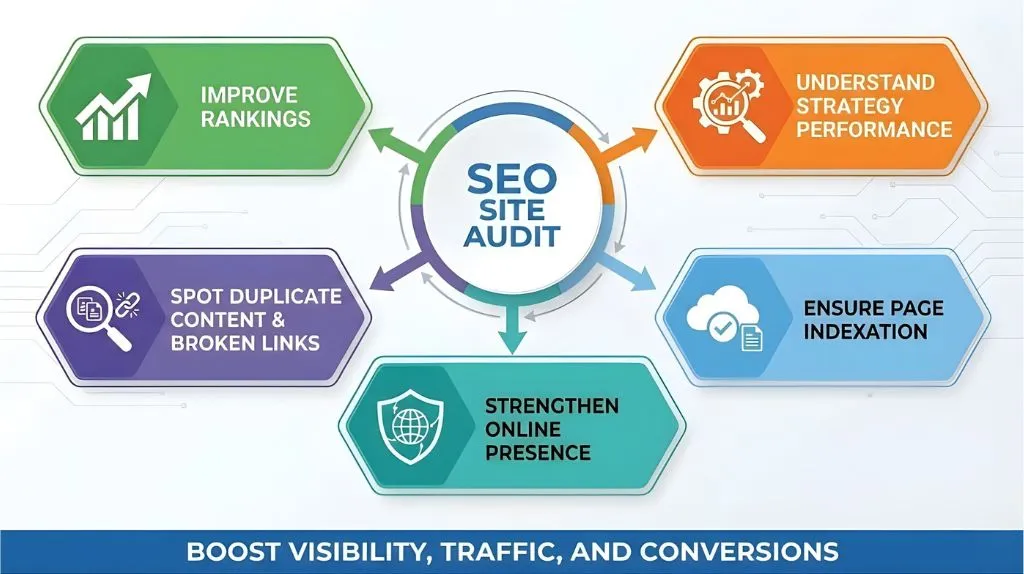
Before we jump into the checklist, let’s talk about why audits are essential. An SEO audit looks at everything happening on and off your site and helps you understand what’s stopping you from getting more organic traffic.
A good seo site audit will also show you what’s already working well. Maybe your content is great, but your load times are slow. Maybe you have strong backlinks, but some important pages are not indexed. Or maybe your meta tags aren’t telling Google the full story.
Doing a full seo analysis helps you catch all these issues early, so you can fix them before they snowball into bigger problems. And the best part? You can boost your visibility, your traffic, and your conversions without guessing.
An audit helps you:
- Improve rankings
- Understand how your SEO strategy is performing
- Spot duplicate content, broken links, and slow pages
- Make sure the important pages are indexed
- Strengthen your online presence
Every SEO professional knows this truth: audit regularly or fall behind.
When to Perform an SEO Audit?
You might be wondering, “How often should I be conducting an SEO audit?”
More often than you think, but not as often as you fear.
Most websites benefit from:
- A full audit every 3–6 months
- A quick check after any major website change
- An audit after traffic drops
- A mini local SEO audit if you run a business with physical locations
- A full audit when launching a new digital marketing strategy
Remember: search engines change constantly. Websites change. Users change. Competitors change. So, performing SEO audits regularly is how you stay ahead.
The Cost of Ignoring SEO Audits: Missed Opportunities & Risks
In simple words, ignoring audits makes it harder to reach the first page of search, and even harder to stay there.
An SEO audit also protects your website from hidden problems that impact its performance — things like slow load times, outdated content, or missing meta descriptions. Without an audit, you might never know what’s holding your site back.
How to Do an SEO Audit (Step by Step)
Alright, now let’s get into the fun part — the full SEO audit checklist.
This is the friendly, easy-to-follow audit process you can repeat anytime.
Technical SEO Audit — Crawling, Indexing & Site Performance
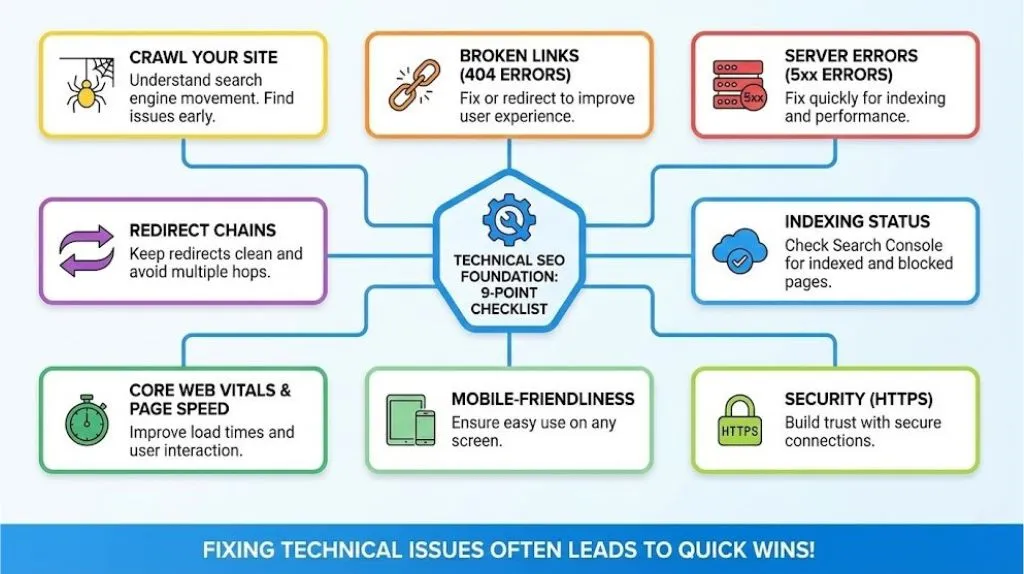
Before you dive into content or backlinks, start with technical SEO. This checks the foundation of your website. If search engines can’t crawl your site or understand its structure, everything else becomes 10x harder.
This part of the SEO audit looks at how Google sees the pages on your site and whether your important pages are indexed. Technical SEO issues are super common, but fixing them often leads to quick wins.
1. Crawl Your Site
Start by crawling your site with an seo checker or an SEO audit tool. You can even use a free tool if you’re just getting started. Crawling helps you understand how search engines move through your pages. It’s also a great way to find technical SEO issues early.
2. Broken Links (404 Errors)
When users hit a broken link, they leave your site quickly. That isn't good for user experience and SEO. Fix or redirect broken links to keep people moving smoothly and prevent losing trust.
3. Server Errors (5xx Errors)
If Google hits server errors, your pages won’t get indexed. These errors affect crawling, performance, and rankings. Make sure they are fixed quickly.
4. Redirect Chains
Too many redirects make your site slow and confusing for crawlers. Keep redirects clean and avoid multiple hops to reach the final version of a page.
5. XML Sitemap & Robots.txt
Your sitemap tells Google what to crawl; robots.txt tells Google what to avoid. These two elements of your website work together to ensure important pages are indexed, and unimportant pages stay out of search.
6. Indexing Status
Check your index status in Google Search Console. The report in Search Console will show if pages are indexed, blocked, or have errors. This is key to making sure important pages are indexed and visible.
7. Core Web Vitals & Page Speed
Slow load times ruin user experience. Run PageSpeed Insights to see how fast your pages load. Improve things like image sizes, scripts, and layout shifts so users can interact with your site without frustration.
8. Mobile-Friendliness
More people browse the web on mobile than on desktop. Google ranks based on mobile versions first. Make sure your site is easy to use on any screen.
9. Security (HTTPS)
If your site isn’t HTTPS, users get security warnings. That alone is enough to drive people away and hurt your credibility.
On-Page SEO Audit
Now let’s look at everything users actually see — the content of the page, layout, keywords, headings, and other elements of a page. A good on-page SEO audit checks whether each page is useful, clear, and optimized for both humans and search engines.
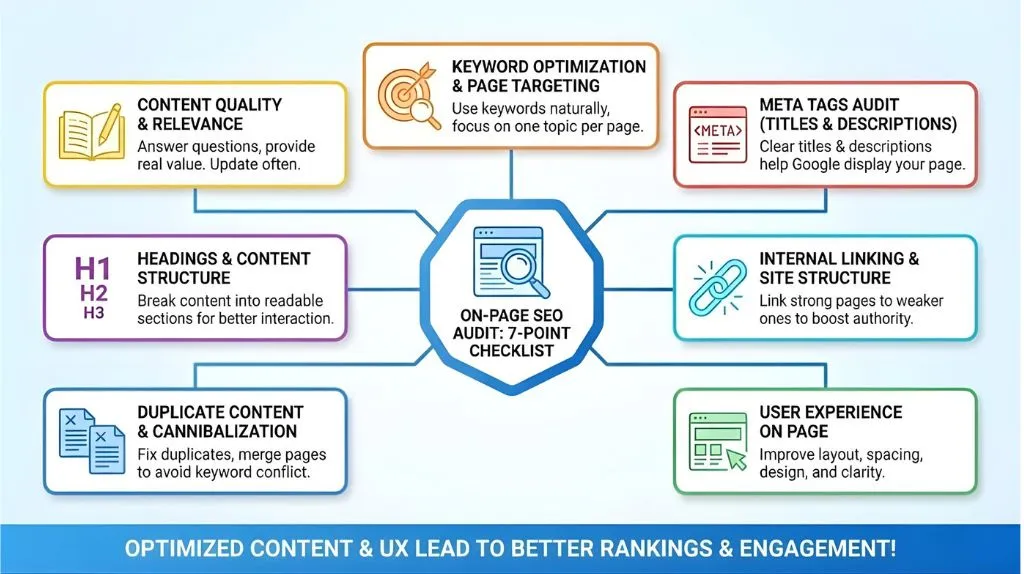
1. Content Quality & Relevance
Your content should answer questions and help users. Weak, thin content makes users and Google lose trust. Update or rewrite content often to provide real value and create a complete SEO resource.
2. Keyword Optimization & Page Targeting
Check if you’re using keywords naturally and focusing each page on one main topic. Good keyword choices help your SEO metrics and make your content easier to rank.
3. Meta Tags Audit (Titles & Descriptions)
Your title and meta description tell Google and users what your page is about. Missing or duplicate ones confuse search engines. A clear meta description helps Google display your page better.
4. Headings & Content Structure
Break content into small, readable sections. This makes it easier for users to interact with your site and stay longer, which helps your rankings.
5. Internal Linking & Site Structure
Internal links help Google understand the relationship between pages on your site. Link from strong pages to weaker ones to boost their authority.
6. Duplicate Content & Cannibalization
Duplicate content confuses search engines about which page to rank. Fix duplicate content and merge similar pages to avoid cannibalizing your own keywords.
7. User Experience on Page
Great UX means people stay longer, click more, and convert more. Bad UX means people bounce. Improve layout, spacing, design, and clarity.
Off-Page and Backlink Audit
The off-page SEO audit looks at everything happening outside your website — links, mentions, reputation, and more. Backlinks act like “votes,” showing Google that others trust your content.
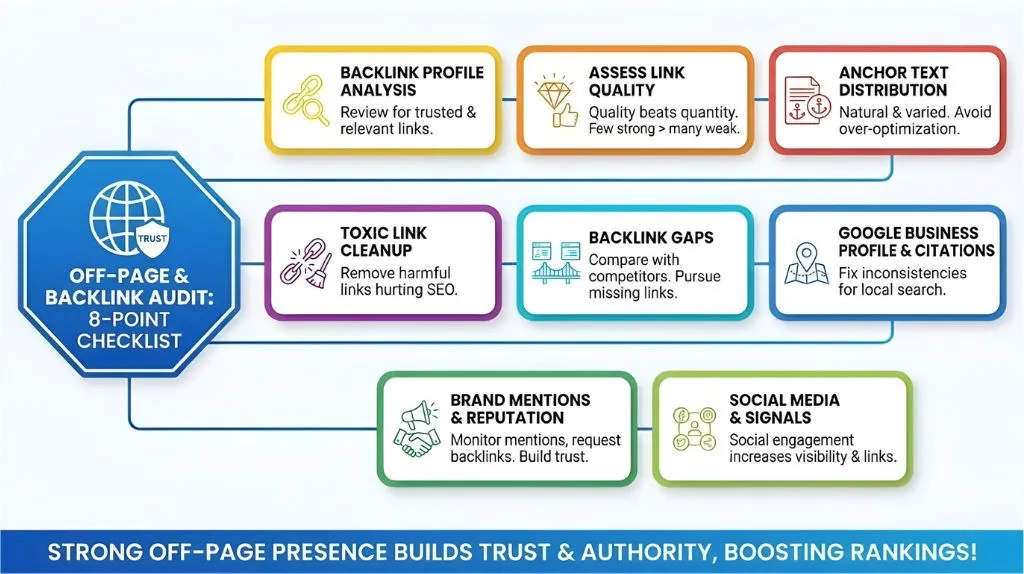
1. Backlink Profile Analysis
Review your backlink profile to make sure your links come from trusted and relevant sites. This supports stronger rankings.
2. Assess Link Quality
Quality beats quantity. A few strong backlinks can outperform hundreds of weak ones.
3. Anchor Text Distribution
Natural anchor text helps search engines understand what your content is about. Avoid spammy or over-optimized anchors.
4. Toxic Link Cleanup
Remove or disavow harmful links that may hurt your website's SEO. Toxic links are common, especially if you’ve worked with outdated SEO tactics.
5. Backlink Gaps
Compare your site to competitors. If they have backlinks from places you don’t, those are opportunities to pursue.
6. Google Business Profile & Citations
For local businesses, citations and business listings matter. A local SEO audit helps you fix inconsistencies and strengthen local search rankings.
7. Brand Mentions & Reputation
Monitor brand mentions and request backlinks when possible. Reputation also plays a role in user trust and conversions.
8. Social Media & Off-page Signals
Social engagement helps indirectly by increasing visibility, which leads to more links.
Checking Advanced SEO Elements
These advanced elements help refine your SEO strategy and strengthen how search engines understand your site. They’re not required, but they help you stand out and create successful SEO results.
1. Schema Markup & Structured Data
Schema helps Google understand the elements of your website: articles, products, FAQs, breadcrumbs, and more. Adding schema can increase CTR and help you show up in rich results.
2. Multimedia & Image SEO
Optimize your images with alt text and light file sizes. Good image SEO speeds up your site and improves accessibility.
3. Page Experience & Core Web Vitals
Your site should load fast, feel smooth, and be easy to use. Fixing layout shifts, slow-loading images, or heavy scripts can optimize your site for better UX and rankings.
4. E-A-T & Content Trustworthiness
Google wants trustworthy content. Add author bios, cite reputable sources, and show expertise. This is especially important for topics related to money, health, or legal matters.
5. International SEO
If you target multiple countries, hreflang tags ensure search engines show the right version of a page to the right audience.
Audit Report, Recommendations, and Ongoing SEO Plan
Once the audit evaluates everything, it’s time to act. This is where your results turn into a true SEO strategy.
1. Compile and Prioritise Issues
Group issues by priority — high, medium, low. Fix the most important problems first, especially technical ones.
2. Recommendations & Action Plan
Create a clear action plan for improving content, fixing errors, building links, and updating slow pages. This turns your audit into the best SEO audit roadmap.
3. Expert Insights & Strategy Integration
Add insights and notes on how each fix helps strengthen rankings. This helps you track progress over time.
4. Implement Fixes & Monitor Results
After making changes, monitor the results in Google Analytics and Search Console. Watch for improvements in organic search and traffic.
5. Stay Ahead of Google Updates
Google changes constantly. Stay informed, test new tactics, and always be ready to adjust.
6. Make Audits Ongoing
A complete SEO audit isn’t something you do once. Do them consistently — because SEO involves growth, updates, and constant improvement. Audit regularly for the most effective SEO results.
Conclusion
A detailed SEO audit gives you everything you need to move closer to the first page, get more organic traffic, and build a stronger online presence. Whether you're using a free seo tool or doing a full manual audit, what matters is that you stay consistent.
When you perform an SEO audit regularly, you’ll know exactly what to improve, what to fix, and what to double down on. You’ll understand the aspects of your website better, catch issues early, and build a foundation for long-term success.
Key Takeaway:
SEO success doesn’t happen by accident. It happens when you keep learning, keep improving, and keep auditing. With this friendly audit process, you're ready to improve your SEO, grow your traffic, and finally get your site where it belongs — in front of the people who need you most.

I am Satbir Singh, an SEO and Google Ads specialist focused on helping businesses grow their online presence. I work on improving search visibility, increasing qualified traffic, and boosting conversions through effective digital marketing strategies.
More from our blog
See all posts